Generate a site description and vertical with AI
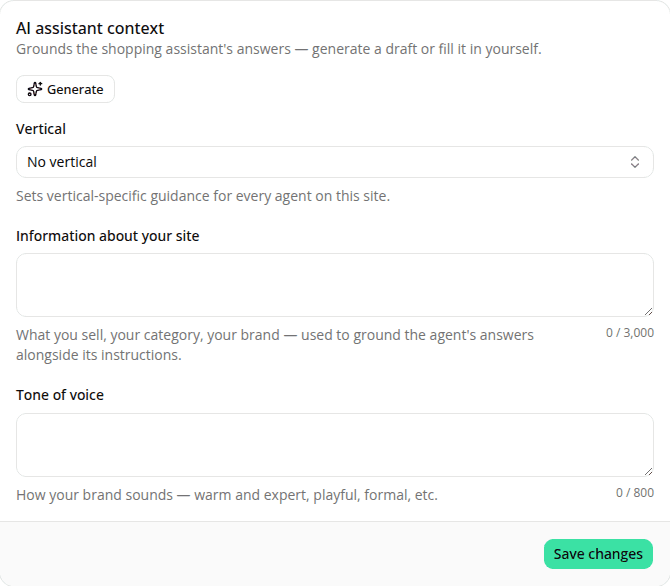
AddedFilling in your site's assistant context used to mean writing it yourself. Now a Generate button can draft it for you, and it now covers a new Tone of voice field too, alongside site information and vertical.
It turns on once your site's URL field holds a value; you don't need to save it first. Click it and the assistant researches your site: a web search for its brand reputation, product categories, and tone of voice, plus a fresh read of the site's own domain. Progress now shows on the button itself, its label swapping to "Searching the web…", "Reading the site…", "Writing the summary…". Then it writes a short description (about 150 words, always in English) of what the site sells and its brand, a one-to-two-sentence description of the brand's tone of voice, and picks the closest matching vertical, or Other when nothing fits clearly. Both descriptions stay purely factual: the assistant is instructed to never include customer sentiment, reviews, complaints, or criticism, even if its research turns some up.
Nothing is saved automatically: the draft fills in all three fields, and you still review them and click Save changes to keep them, same as if you'd typed them yourself.
See Sites for the full general-settings reference.
Resources