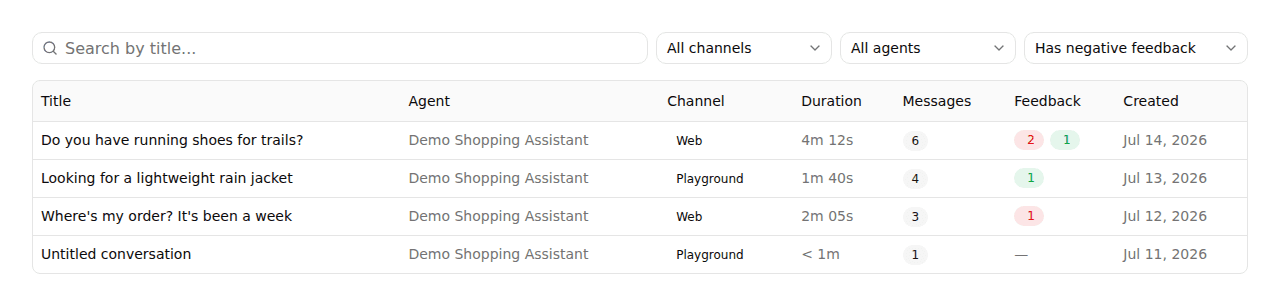
Triage conversations by feedback
AddedThe Conversations table now surfaces the message ratings introduced by thumbs-up/thumbs-down feedback, so you don't have to open every conversation to find the ones that need attention.
- Feedback column. Each row shows how many of its messages were rated, as a red thumbs-down badge and/or a green thumbs-up badge; a conversation can carry both, since its messages are rated independently. A conversation with no rated messages shows a dash.
- Filter by feedback. A new dropdown narrows the list to Has negative feedback, Has positive feedback, Has any feedback, or No feedback, or All feedback to show everything.
- Sort by feedback. Clicking the Feedback column header sorts by negative-count alone, not the combined total: the point is surfacing conversations with complaints, not the most-rated ones overall. To find your most-praised conversations, combine the Has positive feedback filter with the Created sort instead.
Search, the other filters, sort, and the current page all still live in the table's URL, so a link you copy or bookmark reopens the same view.
On a phone-width screen, the Channel/Agent/Feedback dropdowns now collapse into a single Filters button (with a badge counting how many are active) instead of overflowing off the edge of the table.
Resources