Voice dictation now requires turning it on per agent version
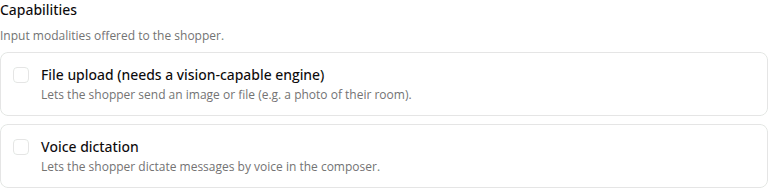
ChangedVoice dictation used to work for every agent automatically, with no setting. That's changed: it's now a capability you turn on per configuration version, the same way file upload already works, and it defaults to off.
If any of your agents used voice dictation, the microphone button has disappeared from its composer. We turned every existing version's setting off as part of this change, matching how every capability defaults off for every agent type. To bring the microphone button back, create a new version and tick Voice dictation under the new Capabilities section. See Capabilities for what it does and how the toggle works.
Nothing about dictation's mechanics changed: it still transcribes speech to text entirely in the shopper's browser, still needs a browser with built-in speech recognition, and still works the same across the playground, the hosted page, and the embedded widget.
While we were at it, the New version form's checklist is now two separate sections, Chat tools (things the assistant calls itself) and Capabilities (composer affordances a shopper controls, like file upload and voice dictation), instead of one flat list mixing both.
Resources