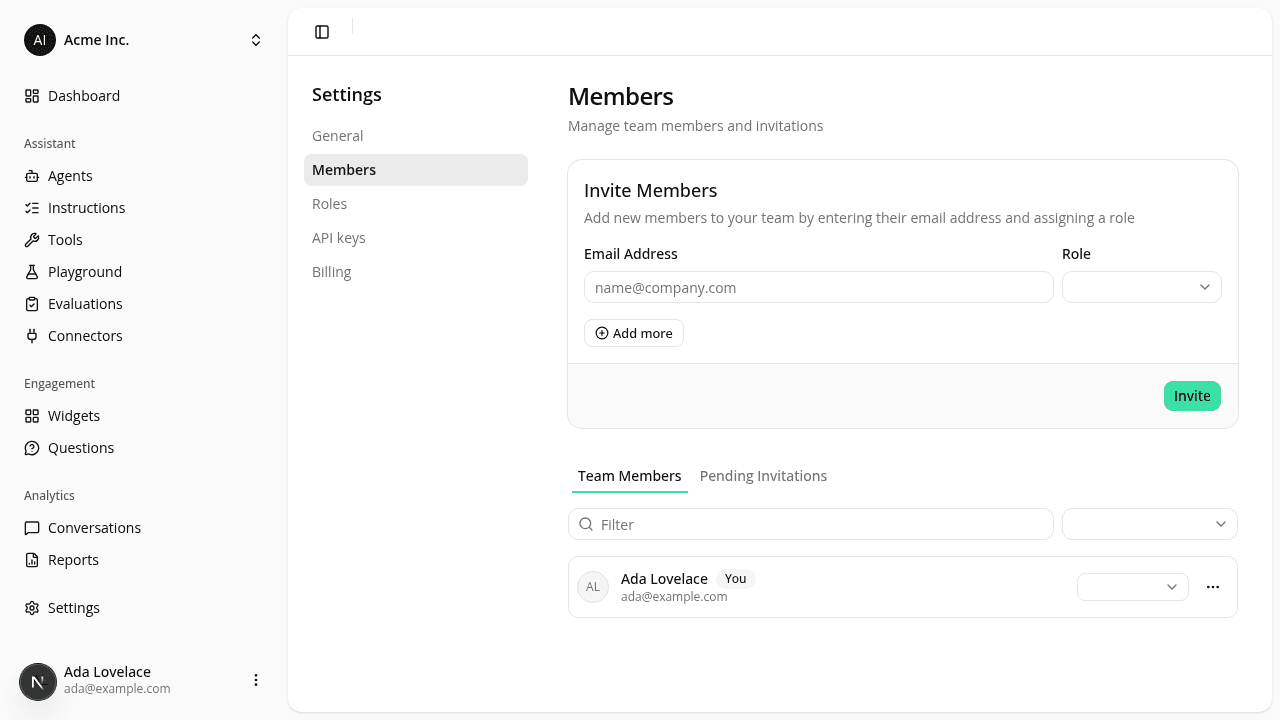
The sidebar now marks the page you're on
ChangedEvery item in the dashboard's main sidebar (Dashboard, Agents, Instructions, Tools, Playground, Evaluations, Connectors, Conversations, Reports, Settings) used to highlight only while your mouse was over it. Move the mouse away, or navigate to the page, and nothing marked where you actually were.
The item matching your current page now keeps that highlight: the same background and text color as hover, with a bolder label. For a section with several pages of its own (Reports and Settings, for example), the sidebar entry stays marked across all of that section's pages, not just its default one.
Based on feedback from visual review, the highlight has been made clearly visible (it was too subtle at first), and the current-page label is bolder still. That same, now-consistent highlighting also carries into a section's own left-hand sub-menu (for example, the Reports, Settings, and Account pages), so the sub-menu and the main sidebar match and the current page reads clearly wherever you are in the dashboard.