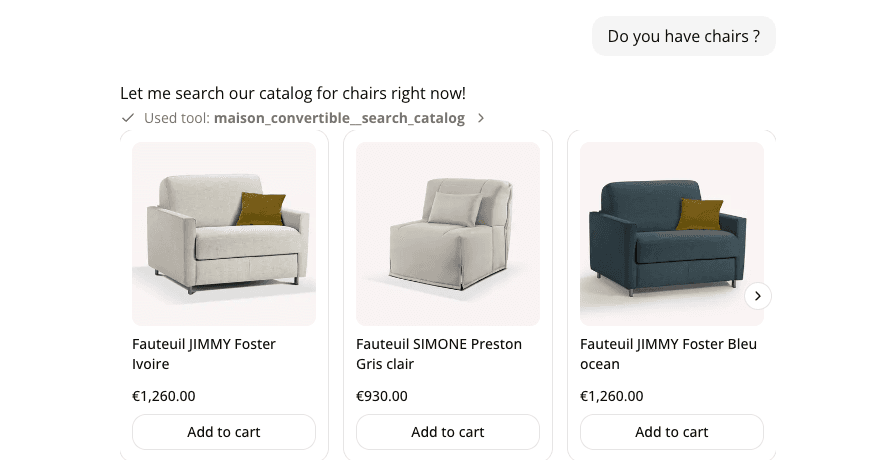
Shopping results now show as product cards, not text
AddedWhen your agent's connector supports product search (Shopify catalog search today), matching products now show up as a carousel of product cards instead of a block of text.
Each card shows the product image, title, price (a single price, or "From €X" when it covers a range of variants), and a short pitch on why that product fits the shopper's request. If a product is on promotion, the card also shows the original price struck through with the percentage off. Shoppers can swipe through the carousel, and clicking a card's image or title opens the product page on your store. When a product has a single variant, the card also offers an Add to cart button.
The assistant has also gotten better at using this. It now searches your catalog on its own when a request is specific enough, picks a focused set of matches instead of dumping everything it finds, and makes its case for each one right on its card instead of in a separate block of text. If the request is too vague to search well (no budget, size, or use case), it asks a clarifying question first.
This renders the same way in the playground and in a saved conversation's transcript, so what you test is what shoppers see.
Resources