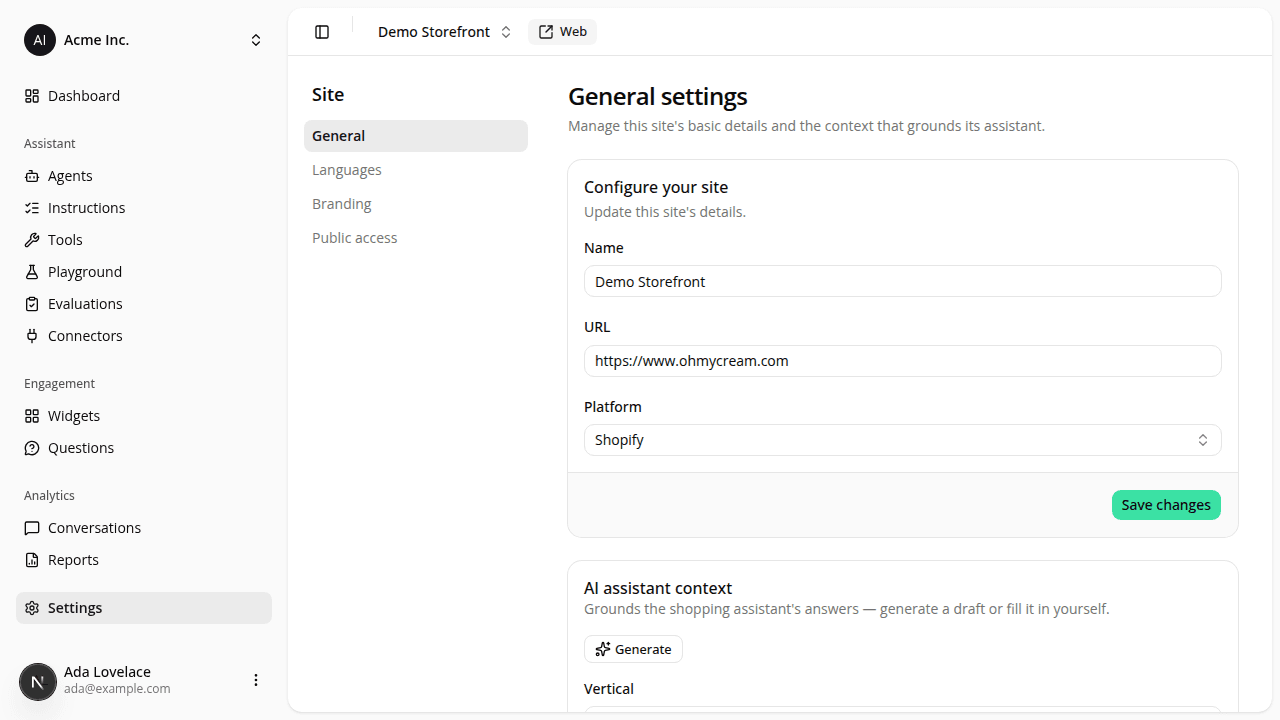
Reach site settings from the sidebar, plus a site URL and Web button
AddedThe dashboard sidebar gets a Settings entry at the root level, right after Analytics, pointing at your current site's general settings: no more digging through the site switcher to find it. It follows whichever site you switch to.
General settings also gain a URL field for your storefront's public address. Enter a bare domain (e.g. mystore.com) and it's auto-prefixed with https:// for you. Once a site has a URL set, a secondary Web button appears next to the site switcher; click it to open your storefront in a new tab.
The general settings card is also retitled to Configure your site, with its Save button moved into a footer to match the Account settings pages.
Resources