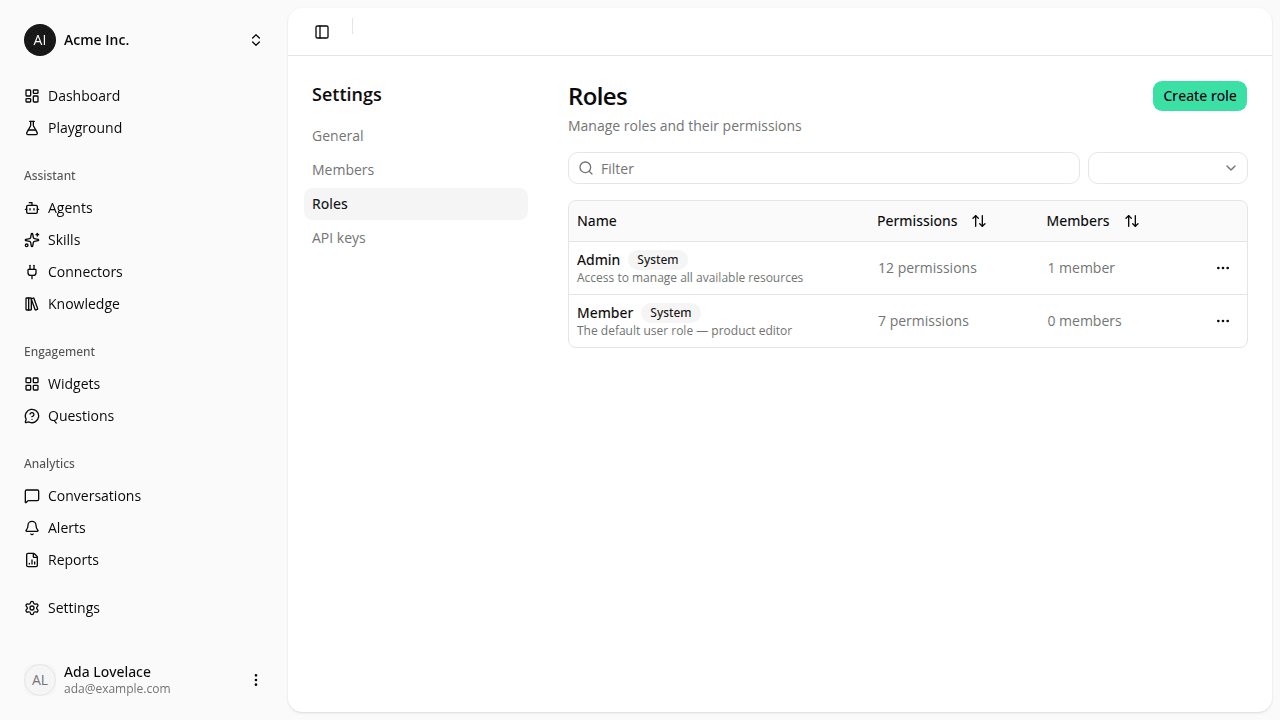
Custom roles, so you can give teammates exactly the access they need
AddedUntil now, every teammate was either an Admin or a Member, nothing in between. You can now compose your own roles and give each teammate exactly the access they need.
- A new Roles page under Settings. See every role your organization has (the built-in Admin and Member, plus any you've created) with how many permissions each grants and how many people hold it.
- Build a role from a fixed set of permissions, searchable by name or slug, covering six areas: organization profile, members, API keys, roles, agents, and connectors. Each area has separate "view" and "edit" access, so you can hand someone read-only visibility without letting them change anything.
- Duplicate an existing custom role to start a new one from a similar set of permissions instead of rebuilding it from scratch.
- Delete a role that's no longer needed: you'll be asked to reassign anyone still holding it first, so nobody loses access without warning.
- Assign any role (built-in or custom) when you invite a teammate or change an existing member's access, not just Admin or Member.
- Real enforcement on agents and connectors. Editing an agent, changing which version is live, and managing a connector's credentials now require the matching permission. Previously any signed-in teammate could touch either.
Admin and Member keep working exactly as before if you don't need anything custom.
Resources