Shoppers can now close the embed panel themselves
AddedShoppers using the embedded web tag can now close the conversation panel on their own. No wiring needed on your side.
Three ways to close it. A ✕ in the conversation header, the Escape key (from the page or from inside the conversation, without interrupting someone mid-message), and (if you turn on the new backdrop below) clicking outside the panel. Scrolling the page behind the panel never closes it.
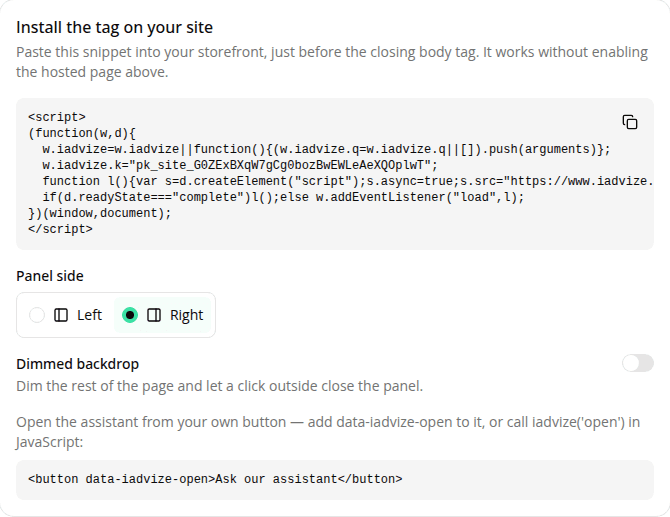
An optional dimmed backdrop. The panel is a companion by default: your page stays visible and scrollable behind it. If you want a more focused, modal feel instead (for a guided flow or checkout support), turn on the new Dimmed backdrop toggle on the site's Install the tag card, or set it yourself with iadvize('set', { backdrop: true }). It dims the page, blocks background scrolling, and lets shoppers click it to close the panel.
A more polished open. The panel now shows an opaque, branded background and a small loading indicator instead of a transparent gap while the conversation loads, and its drop shadow now reads correctly against the side it's docked to.
No action needed: this applies automatically to every site using the embed tag.
Resources