Track impressions and clicks on in-chat product cards
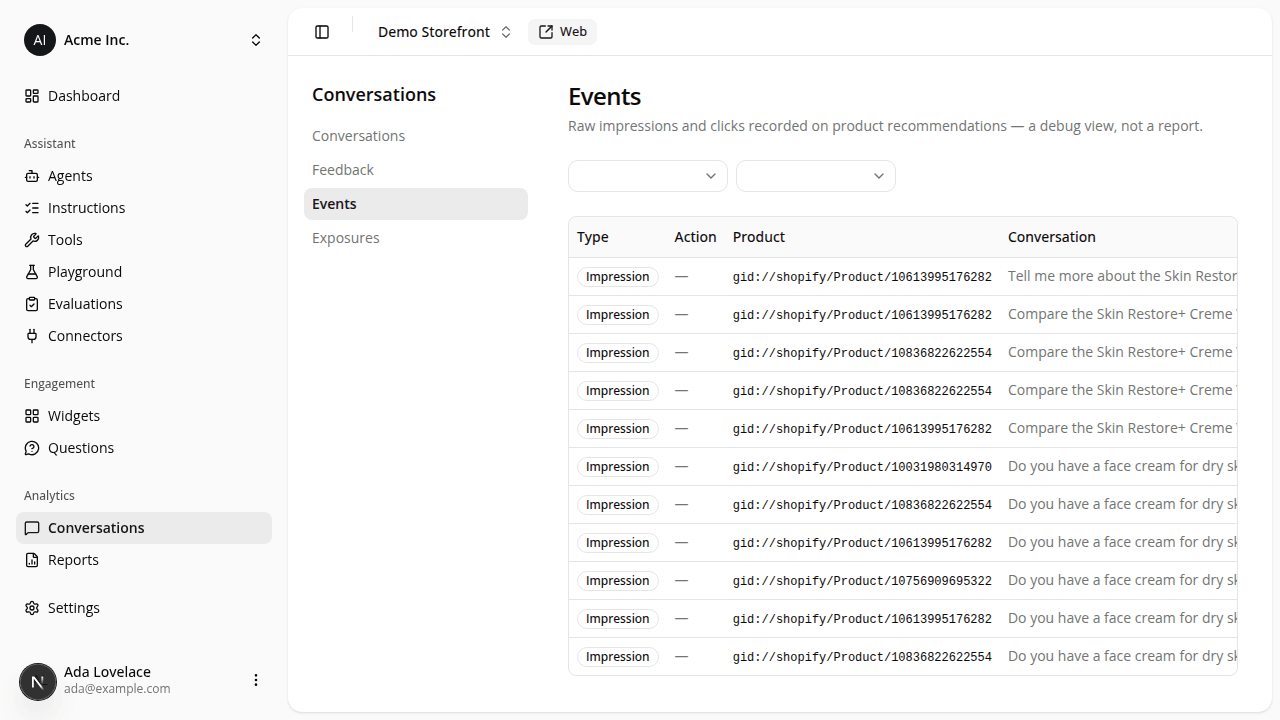
AddedThe Conversations section gains a third tab, Events, listing every impression and click recorded on the assistant's in-chat product cards: one row per event, across the product list, product detail, and comparison views.
Each row shows the event type (impression or click), the click action when there is one (opening the product, adding it to cart, or picking a variant), the product id, the conversation it happened in, the channel it came from, the shopper's device, and when it occurred. A Filter by type and a Filter by channel dropdown narrow the list. The channel filter is the main reason to reach for this tab: it separates your own Playground testing from real Web and Hosted shopper activity.
This is a raw debug view, not a report: no rate, rollup, or chart, and no export. It exists so you can confirm tracking is firing and eyeball real shopper behavior today; a rolled-up recommendation click-through rate is a later addition.
The conversation detail page's side rail gets a matching update: the Result section, until now entirely "Coming soon", shows this conversation's own impression and click counts (0 impressions / 0 clicks for a conversation with no recorded events). Sale attribution, in the same section, stays reserved for a future release.
Resources