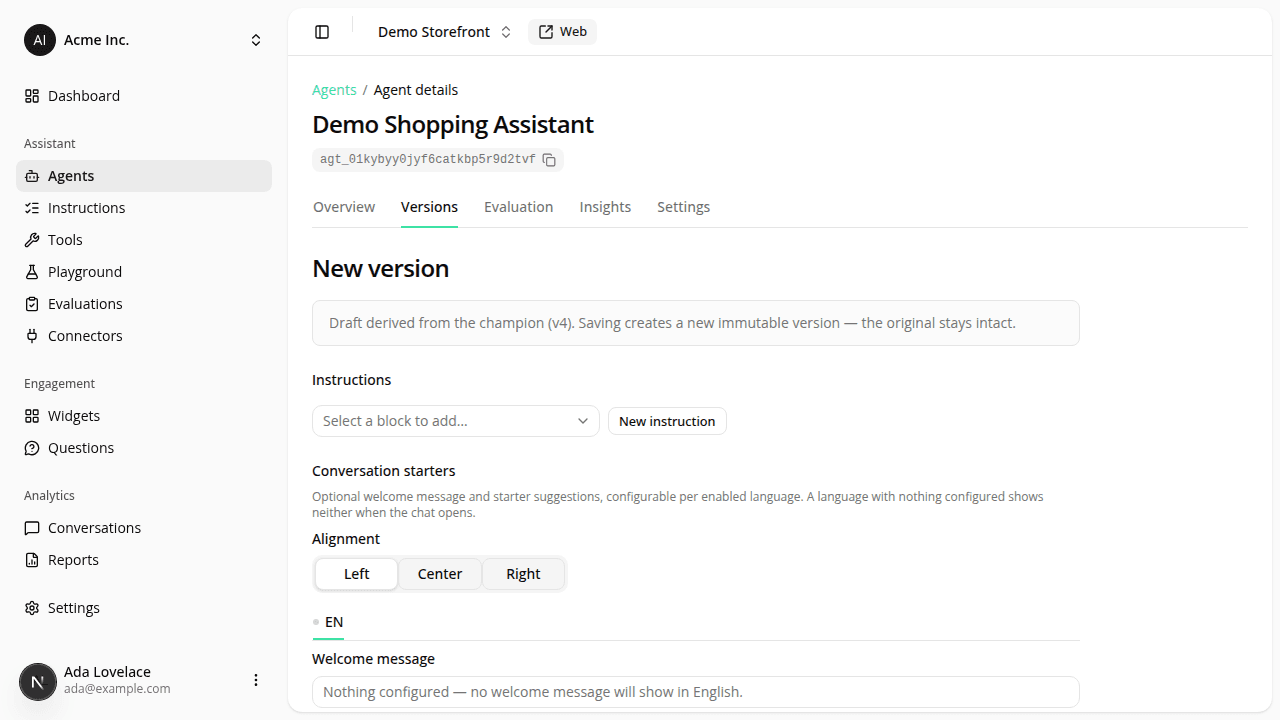
The agent page is now a tabbed workspace
ChangedOpening an agent now lands on an Overview tab instead of a version list. The detail page is split into tabs (each its own URL, so you can deep-link and refresh) for Overview, Versions, Evaluation, Insights, and Settings.
- Overview leads with what's live. A Champion · live card shows the configuration currently serving shoppers: its engine, enabled chat tools, linked connectors, and a preview of its instructions. A version history strip below it links to every version at a glance.
- Versions is now a registry table. Every version is a row with its status, engine, and last-updated date. Filter by status or engine, sort any column, and click a row to open the version. Per-row actions live in a ⋯ menu: View, Playground, Duplicate, Promote to champion, and Archive.
- Creating a version is a full page, not a modal. The editor gives the instructions, engine, connectors, and the chat-tool checklist more room (each tool now shows a one-line description of what it does), and you can create a connector inline without leaving the page. Reach it from New version on the Versions tab, Improve on the champion card, or Duplicate on an existing version.
- Viewing a version is a read-only page with Duplicate, Promote to champion, Archive, and Playground for that exact version.
Versions are still immutable and the champion is still the one live version; this changes how you navigate and manage them, not how they work.
Resources