Configure and test web search / page reading domains from the dashboard
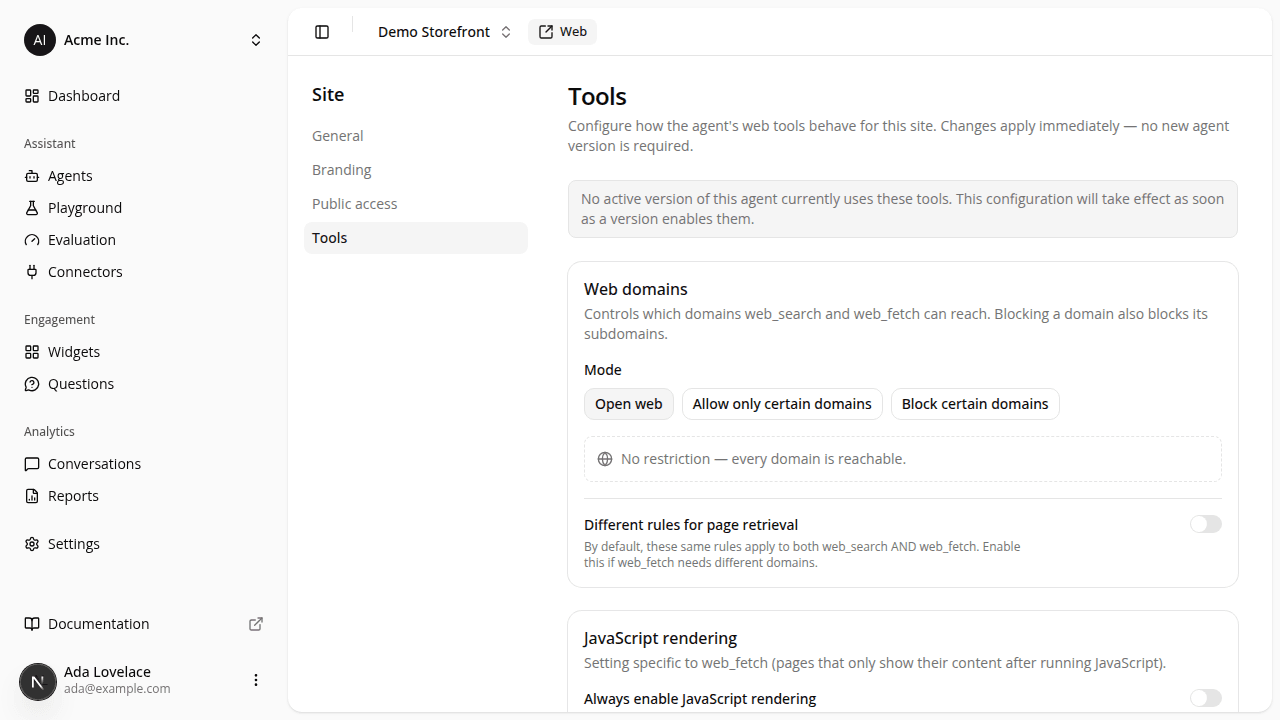
AddedWeb search and page reading used to be all-or-nothing: open to the whole web, with no way to narrow or block a domain short of asking someone to change it for you directly. A site's Settings → Tools tab now gives you that control directly.
- Three modes for the site's domain policy: open web (the default), allow only certain domains, or block certain ones (a named competitor, say). Blocking or allowing a domain covers its subdomains too.
- One shared policy for both tools by default, with a switch to give page reading its own list when it needs to differ.
- Instant save on every edit (adding or removing a domain, flipping a setting), except switching back to open web, which asks you to confirm first since it removes a restriction in one click.
- JavaScript rendering, independent of the domain policy, for sites whose pages only show their real content after running JS.
- A connectivity test (for a URL of your choice, or any domain already in your allow-list) that replays the exact retrieval a real conversation would make and flags content that looks like a bot-blocking challenge page, so you can catch a broken domain before a shopper does.
This is a per-site setting, not part of an agent version: changes take effect immediately, no new version required.
Resources