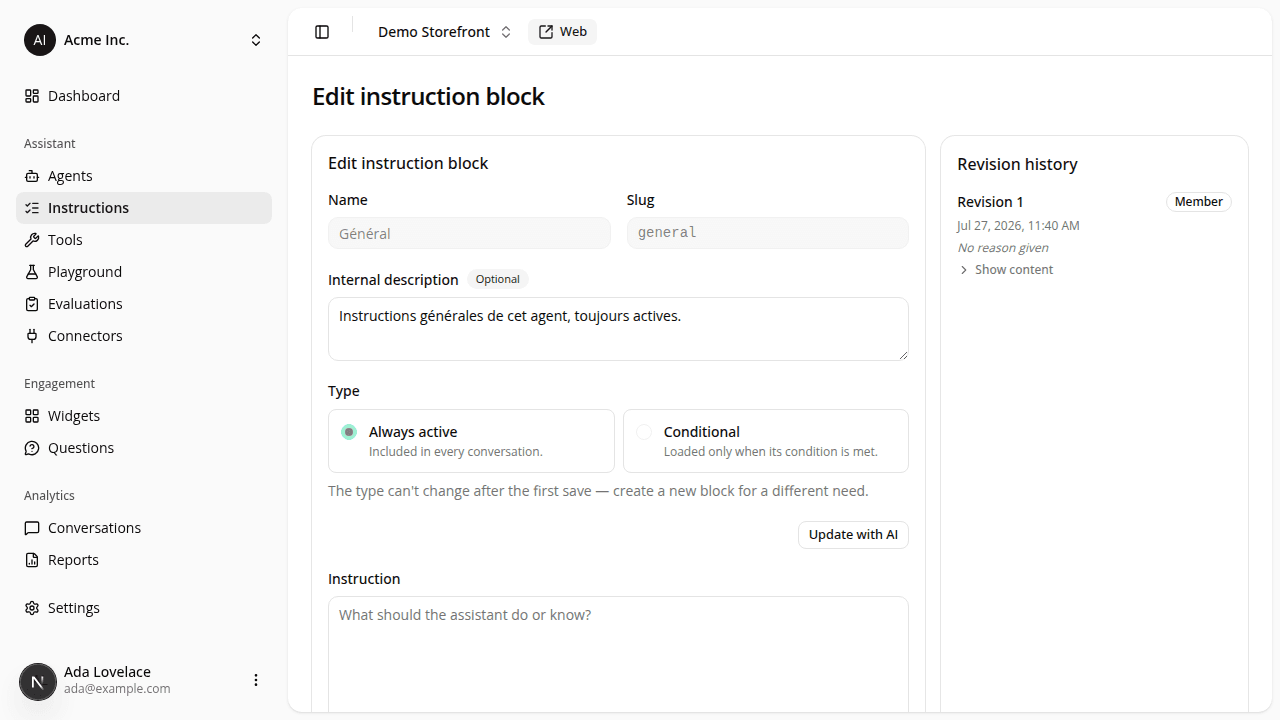
A tidier instruction editor
ChangedSame fields, less friction:
- Name and slug share one row instead of each taking a line of its own.
- Character counters sit at the bottom right of the instruction and condition fields, under the text they count, instead of up beside the label.
- Optional fields (description, change reason, and the new indicator message) carry a small Optional badge beside their label, so what you can skip is visible at a glance.
- Revision history is compact. Each revision still shows its number, date, author and reason; its instruction text and condition now sit behind a Show content toggle, collapsed by default. A block with a dozen long revisions no longer floods the panel. Expand the one you want to inspect.
- The AI-assist dialog no longer reprints your current instruction. It was showing you text that's already right there in the form behind it; it now just asks what should change.
Resources