Name the pause a conditional instruction causes, in your shoppers' language
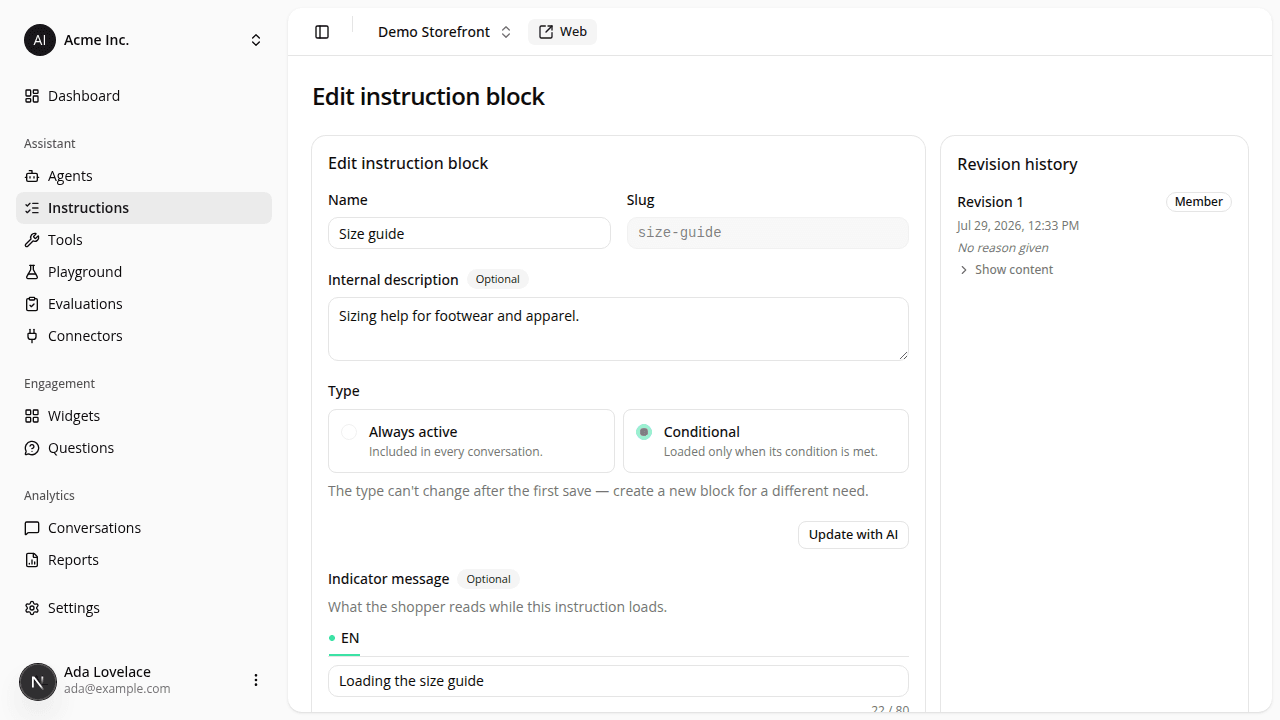
AddedWhen the assistant loads a conditional instruction block mid-conversation, the shopper sees a short pause. Until now that pause was always labelled with the generic "Thinking…". You can now name it yourself.
Open a conditional block in the instruction editor and fill in its new Indicator message field: one phrase per language your site has enabled, up to 80 characters each ("Loading the size guide", "Chargement du guide des tailles"). Leave a language blank and shoppers in that language keep seeing "Thinking…", never another language's phrase, and never the block's name.
It shows on the hosted public link, on the embedded web tag, and in the playground's User view (which is where you preview it; Technical view shows the raw tool call instead). Always-active blocks don't have the field: they're already in the prompt, so there's no pause to name. AI assistance doesn't write it either: the instruction and condition remain the only fields it drafts.
This field is not versioned. Saving it appends no revision and creates no new agent version: the phrase changes immediately for every agent version that uses the block, including your live champion. That's intentional (correcting a typo in a five-word label shouldn't cost you a new version of every agent), but it also means the change reaches shoppers with no record of who made it, exactly like editing a block's name.
Removing a language from your site's enabled languages now also deletes that language's indicator message from every block on the site, with the same confirmation you already get for welcome messages, suggestions and display names.
Resources