Starter questions catch up to the widgets list: clickable rows, quicker on/off, sortable columns
ChangedThe Starter questions list (Engagement → Questions) picked up the conventions its sibling, the Engagement widgets list, already had.
Rows open on click. Click anywhere on a row to jump to that question's own page. The ⋯ menu's Edit still works too.
The Live switch moved next to the status it controls, in the Status column, instead of sitting off on its own. It's also in the ⋯ menu now, as Activate / Deactivate, so you don't need to line up a click on a small switch. Taking a currently Live question offline (from either place) asks you to confirm first; every other toggle applies immediately.
Languages, Status and Updated now sort. Click a column header to sort by it, click again to reverse. Sorting by Languages puts the questions missing the most translations first. Move up / Move down stay tied to the library's own order, so they're greyed out while the list is filtered, searched, or sorted.
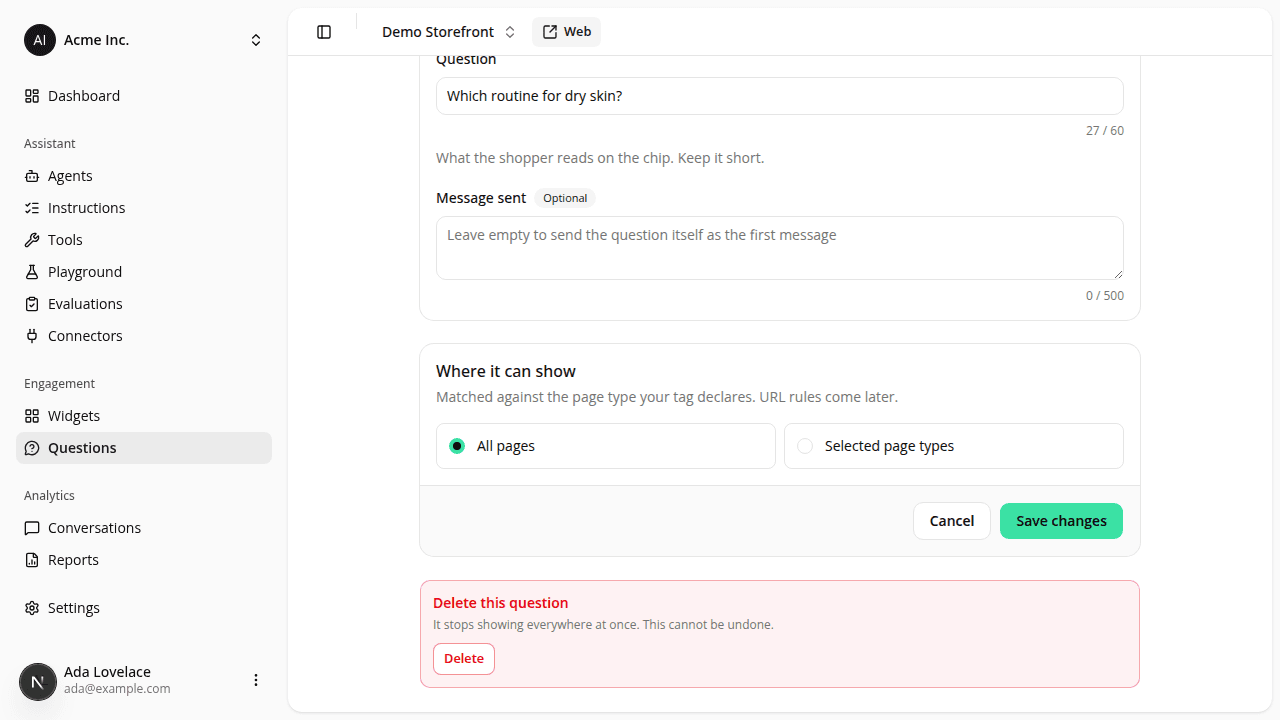
The question's own page can do what the list could. Opening a question now shows its Live switch and current status right there, and a Delete section at the bottom, with a "Turn it off instead" option when the question is currently Live and you'd rather not remove it outright.
Nothing about the list's search, filters, or how starter questions actually show to shoppers changes.
Resources