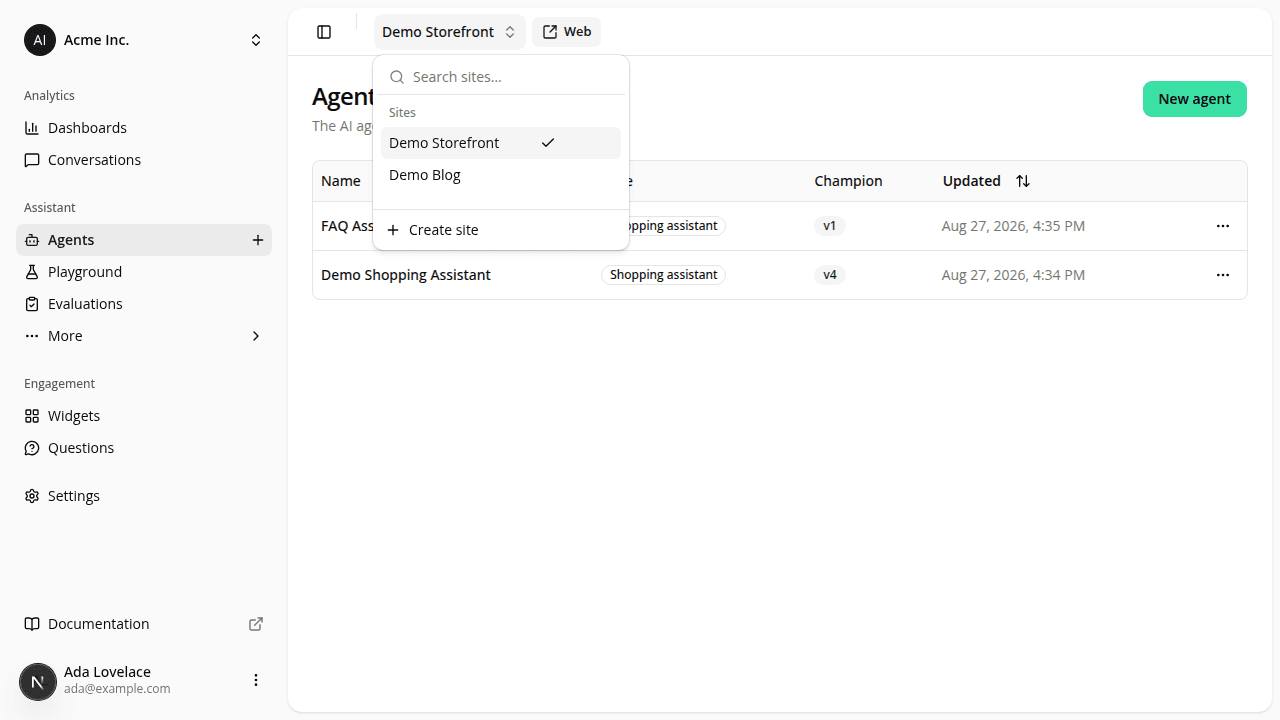
Search for a site instead of scrolling the switcher
ChangedThe site switcher in the dashboard header now opens with a search box instead of a plain list. Type part of a site's name or its URL and the list narrows to match, useful once your organization runs more than a handful of storefronts, and the only way to tell apart two sites that share a similar name but point at different domains. Create site stays available whatever you've typed.
The search also ignores accents: typing ete still finds a site named "Boutique Été". No need to reach for the accented character.
The audit log's Site filter (/dashboard/settings/audit-logs) got the same treatment, so it now matches its neighboring Action filter: both are searchable, accent-insensitive dropdowns instead of a plain select.
Nothing else changed: the current site is still checked in the list, switching sites from a page like Agents or Connectors still lands you on the same tab under the new site, and the external Web button next to the switcher is unaffected.
Resources