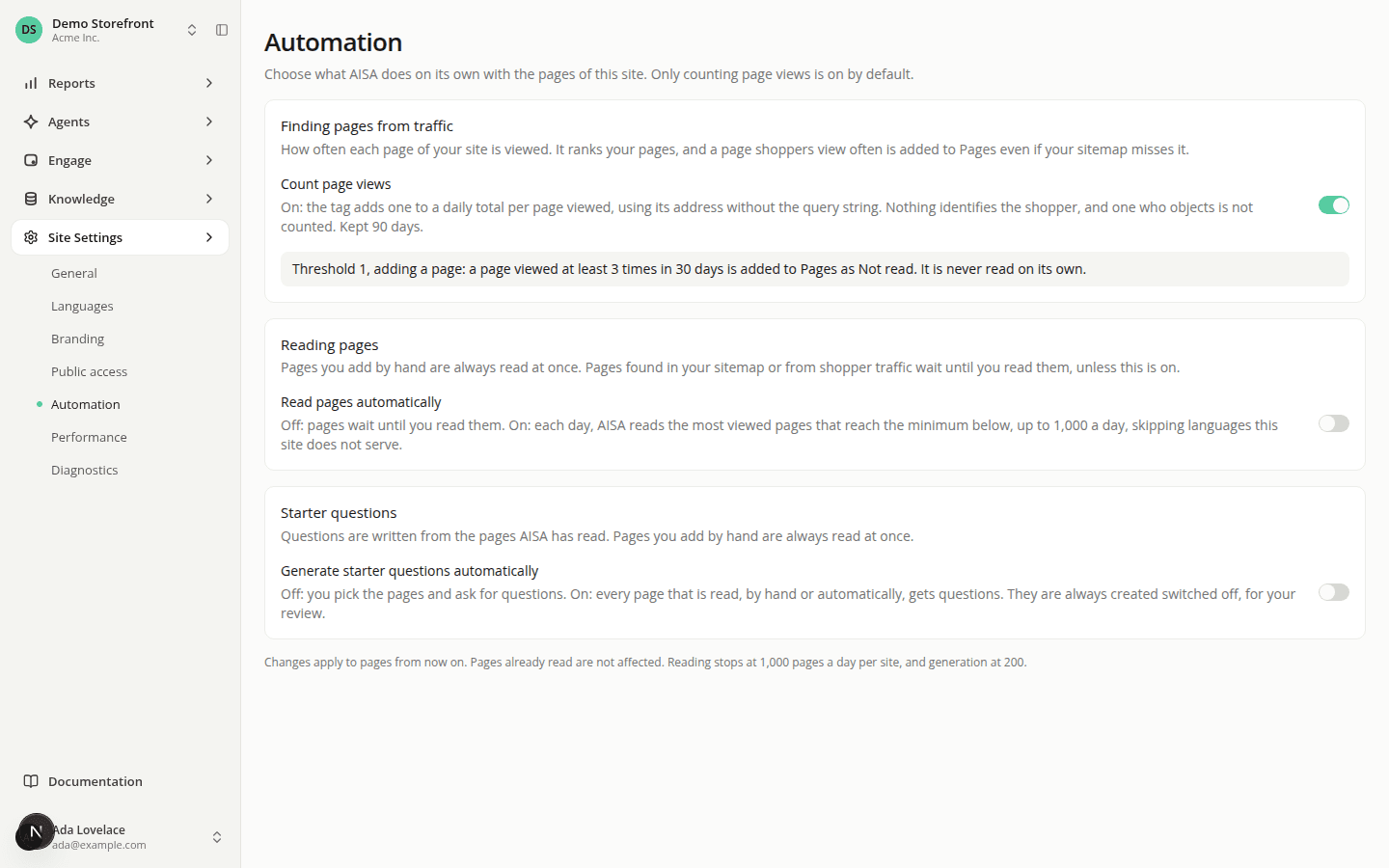
Rank your pages by views and read them automatically
AddedThe Automation page under Site Settings gains two switches, so AISA can find and read your pages on its own.
- Count page views (on by default). The tag counts how often each page of your site is viewed, as a daily total per page, with nothing that identifies the shopper. Counts are kept 90 days, and a shopper who objected to measurement is not counted. Pages then shows each page's views over the last 30 days and lists the most viewed first.
- Pages found from traffic. While counting is on, a page viewed at least 3 times over 30 days that your list does not hold yet is added once a day, as Not read. This catches pages your sitemap misses. It is never read on its own.
- Read pages automatically (off by default). Once a day, AISA reads the Not read pages whose views reach your threshold (50 views over 30 days by default), most viewed first, within the site's 1,000 reads a day. A page that does not fit waits for the next day.
- Generate starter questions automatically now also covers pages read automatically: with both switches on, your most viewed pages get questions without you asking, still switched off for your review.
Switch counting off and Pages drops its views column and lists the newest pages first. No page is found from traffic until you switch it back on.
Resources