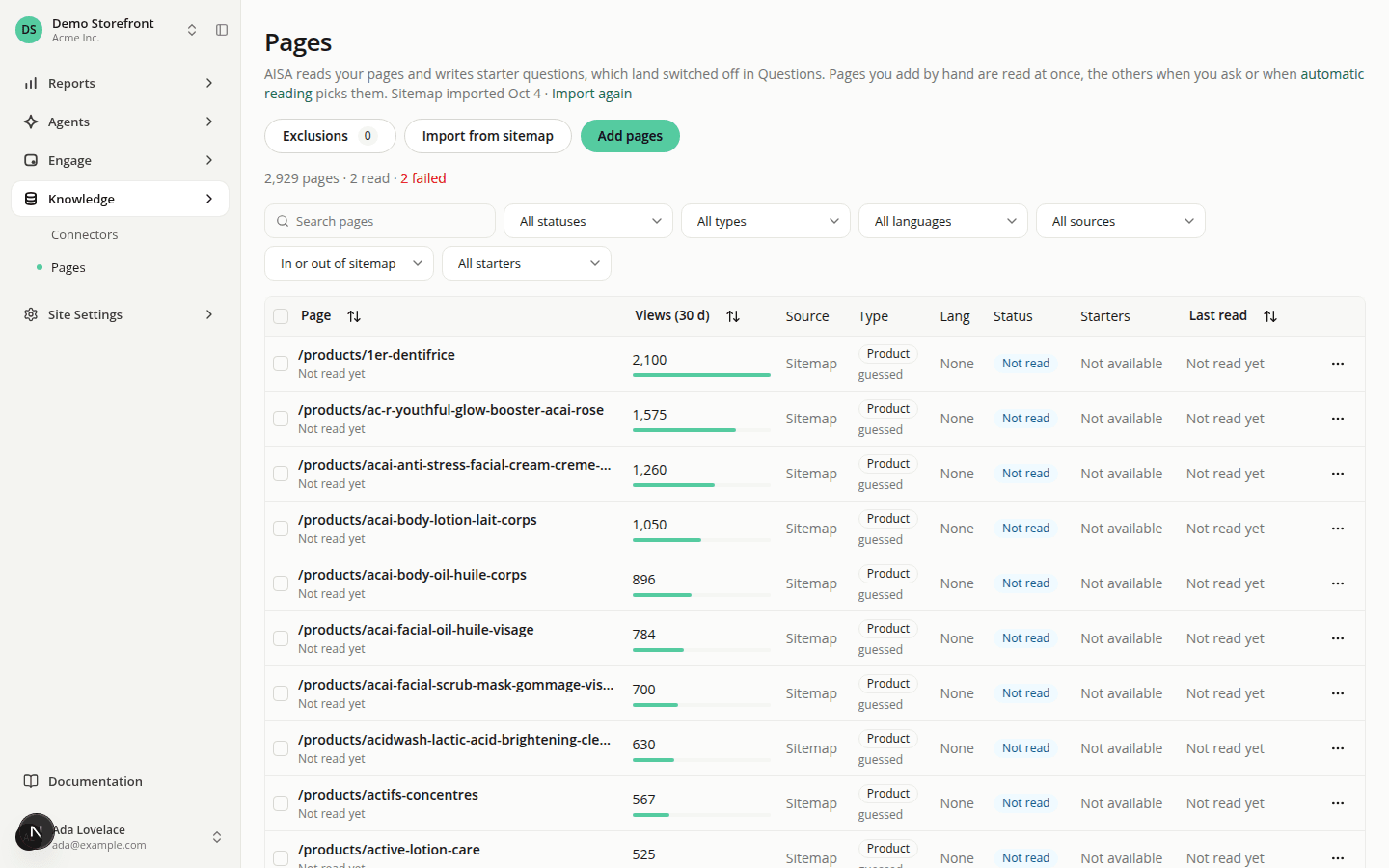
Import your pages from your sitemap
AddedYou no longer have to paste every address into Pages. AISA can list your site for you, and you decide what it reads.
- Import from sitemap. One click finds your sitemap through
robots.txtor the usual addresses (or the one you give) and lists up to 50,000 pages as Not read. Nothing is read until you choose. A new site gets its first import during onboarding. A later import marks the pages your sitemap no longer lists, so you can clean them up. - A type at a glance. Each page found this way shows a type guessed from its address (Product, Category, Blog, Content or Home), marked guessed until AISA reads the page. An address that says nothing about the page shows Not known yet. Filter on it to find your product pages in a large import.
- Read when you want. Read, or Read and generate starters in one step, on the pages you pick. Pages you add by hand are still read at once.
- Blog pages. Blog is a new page type. Like other content pages, a blog post gets no starter questions.
- Exclusions. Remove a page found in your sitemap and it stays out. Add a rule such as
blogs/*to keep a whole section out. - Duplicates are spotted. A page whose canonical address is another page in your list is marked as its duplicate and skipped for questions.
- Sort from the headers. Click Page, Views (30 d) or Last read to sort, and again to reverse.
- Live updates. While pages are being read, questions written or your sitemap imported, the list refreshes itself, and so does a page's own view. A page shows Generating starter questions while its questions are being written.
- Open the page. The address in a page's Details opens the page itself in a new tab.
Each site can now read 1,000 pages a day, up from 200. Generation stays at 200 pages a day. Requests to your site carry the iAdvize-AISA/1.0 User-Agent, so you can allow them through your firewall.
Resources