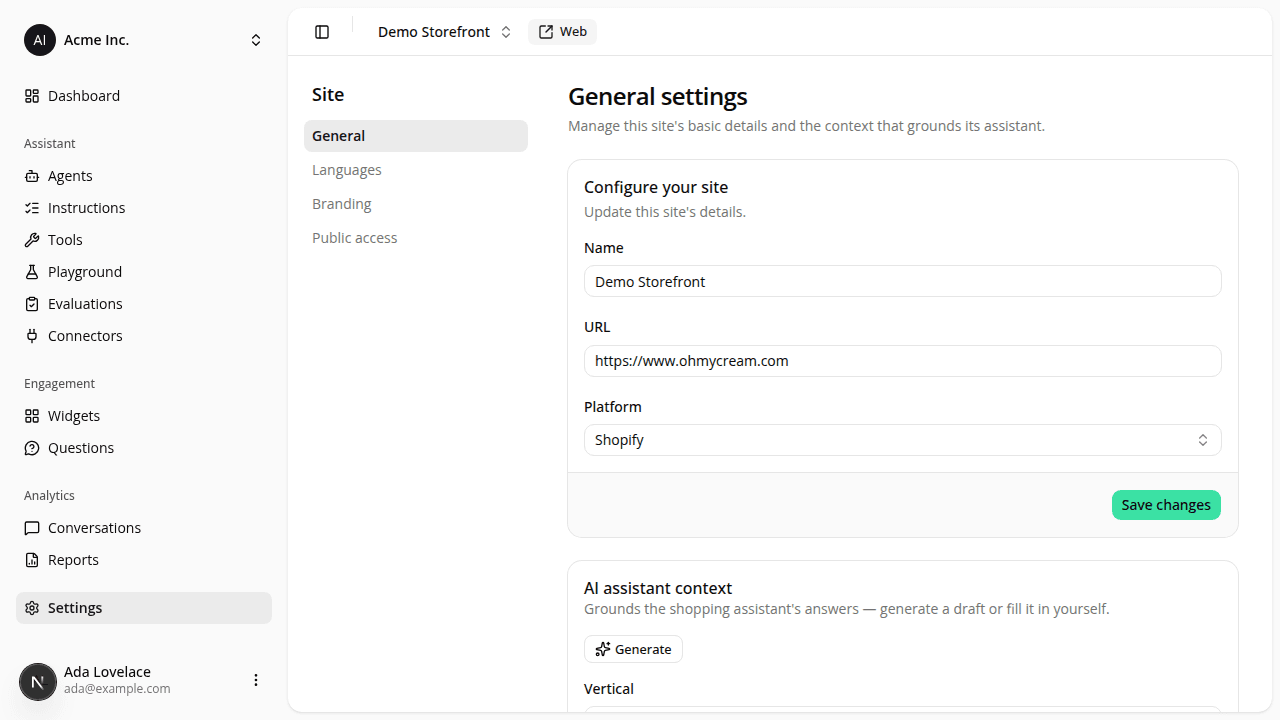
Site settings gets its own General/Branding navigation
ChangedCreating a site now drops you straight into that site's workspace instead of a sites list. The organization-wide sites list page is gone: you always reach a site through the switcher in the dashboard header, which keeps its Create site action.
A site's settings are now split into two sub-pages, General and Branding, reached from a settings sub-navigation. The general settings (rename, change platform, delete) moved from /dashboard/sites/{siteId}/edit to /dashboard/sites/{siteId}/settings/general.
Resources