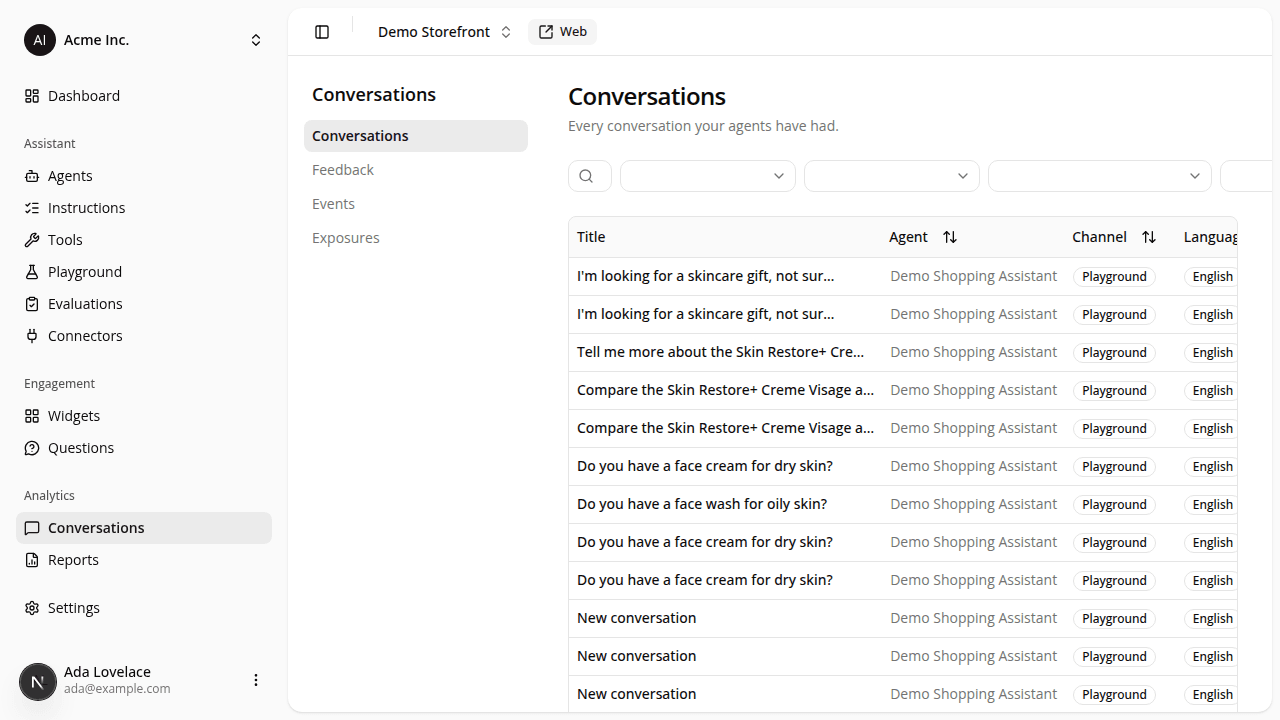
Search, filter, and page through your conversations
ChangedThe Conversations table is easier to work through when a site has a lot of history.
- Search by title. A search box above the table filters conversations by title as you type.
- Filter by channel or agent. Two dropdowns next to the search box narrow the list to Playground or Web, or to one specific agent.
- Sort by more columns. Click a column header to sort by Agent, Channel, Messages, Created, or Duration, ascending or descending.
- Duration replaces Updated. The last column now shows how long each conversation ran, from its first message to its last, instead of a raw "last updated" timestamp.
- Pages of 20. The table loads 20 conversations at a time, with Previous / Next controls, instead of one long list.
- Long titles are trimmed. A title longer than 40 characters is cut short with an ellipsis in the table; hover it to see the full title.
Search, filters, sort, and the current page are all part of the page's URL, so a link you copy or bookmark reopens the table exactly as you left it.
Resources