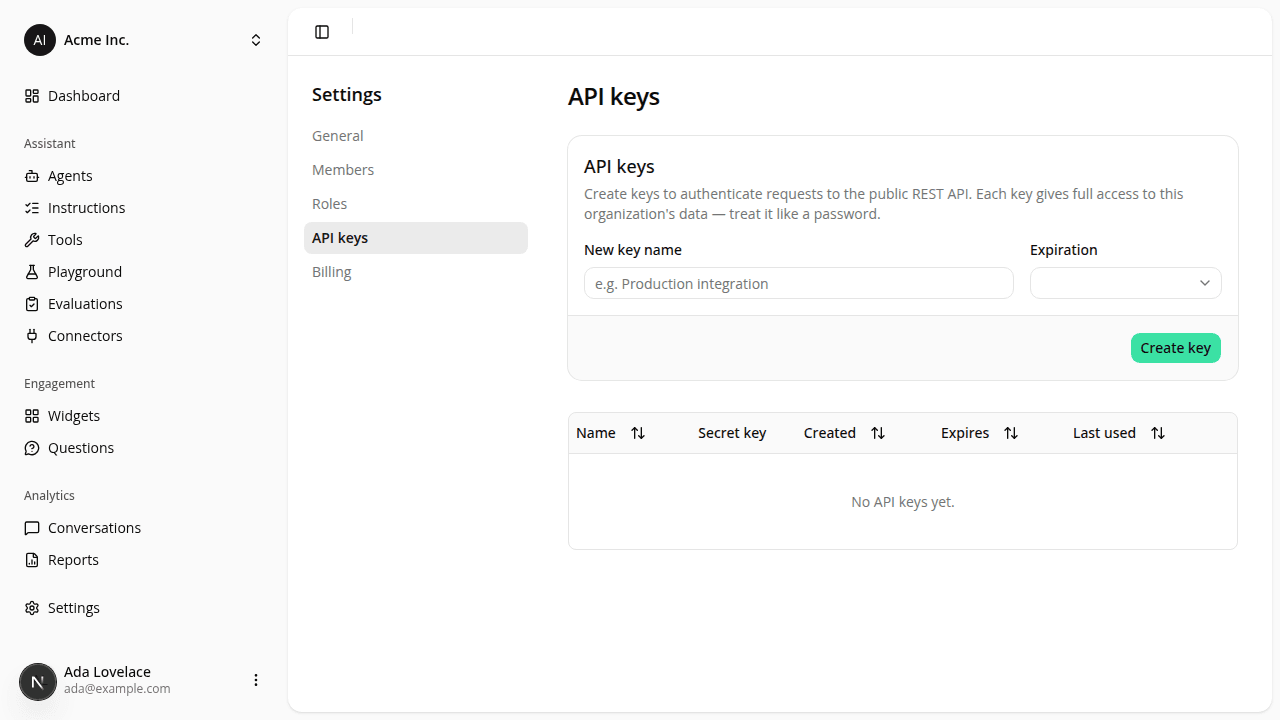
Set an expiration when you create an API key
AddedWhen you create an API key from Settings → API keys, you can now choose when it expires: Never (the default) or a preset duration: in 7, 30, 60, or 90 days, or in 1 year. Pick a duration and the key stops working on its own once that date passes, so you don't have to remember to revoke short-lived keys by hand.
An expired key behaves exactly like a revoked one: any request to the public REST API using it gets a 401. Nothing else about calling the API changes.
The API keys page was also rebuilt to match the Members and Roles screens. Creating a key is now a card at the top, and your keys sit below it in a sortable table: click a column to sort by Name, Created, Expires, or Last used. The Expires column shows each key's expiration date (or Never), and a key that's past its date is marked Expired. Revoke moved into the … menu on each row.
Expiration is set at creation only: there's no way to change a key's expiration afterward. If you need a different expiration, create a new key. Keys still grant full access to your organization's data; there's no per-key scoping.
See Authentication for how to create and use keys.
Resources