Let shoppers upload files, and see them in the transcript
AddedShopper file uploads are now something you control per agent version.
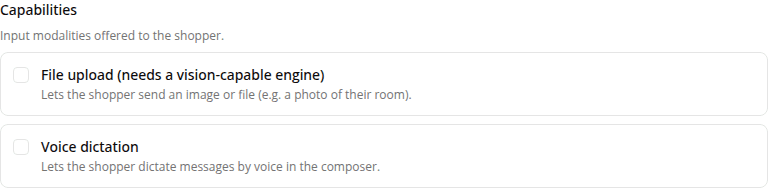
File upload joins the Chat tools checklist alongside the product cards, clarifying questions, and web tools. Turn it on for a configuration version and the chat composer shows an attach button, so a shopper can send a file (a screenshot, a photo of a product, a PDF) with their message. Uploads are limited to images and PDF: the only file types the assistant's model can read, and the safe common set across engine providers; other types (a .docx, a .zip) aren't accepted. It's off by default for every agent type. Before this, uploads were always on and couldn't be turned off. Like every other tool, the setting is part of the version and can't be changed after the fact: turning it on or off means creating a new version.
One caveat worth knowing: an uploaded file only helps if the version's engine can read it. The AISA engines handle images and PDFs; a lighter engine may ignore an image. The checklist label flags this.
Separately, any file a shopper attached now shows up in the conversation transcript in the dashboard: an image as a preview, any other file as a named tile. Uploads used to be dropped from the transcript, so you couldn't see what a shopper actually sent; now the transcript mirrors the live chat.
Resources