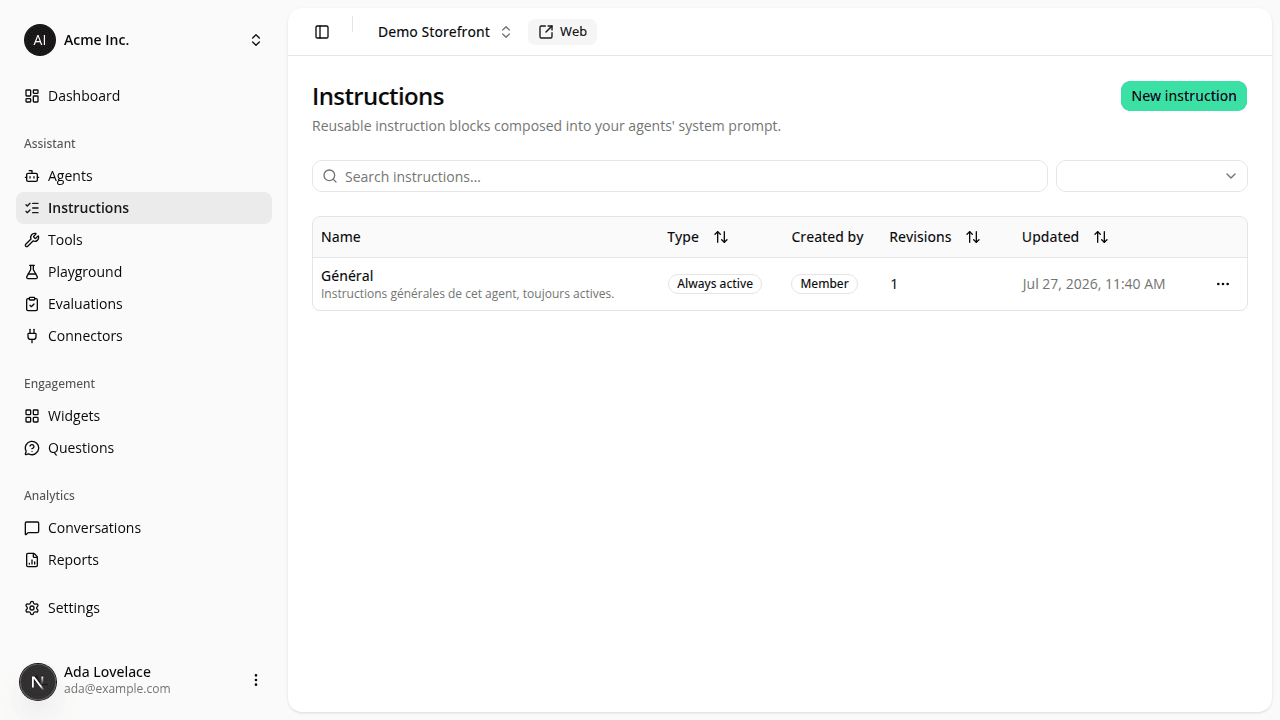
Search and sort your instruction blocks
AddedFinding a block in a growing list no longer means reading every row.
- Search sits above the table and matches on a block's name and description, case-insensitively. It combines with the type filter, now a dropdown to its right, the same bar the organization members list uses.
- Type, Revisions and Updated column headers sort. Click one to sort, click again to reverse. The list opens on Updated, newest first.
- Each row shows the block's description under its name; the technical slug is no longer in the table.
- The create button is now labelled New instruction.
Search, filtering and sorting all happen in the page: no reload, no waiting. One consequence worth knowing: the type filter no longer goes into the URL, so ?type=conditional links no longer filter anything (they render the full list).
Resources