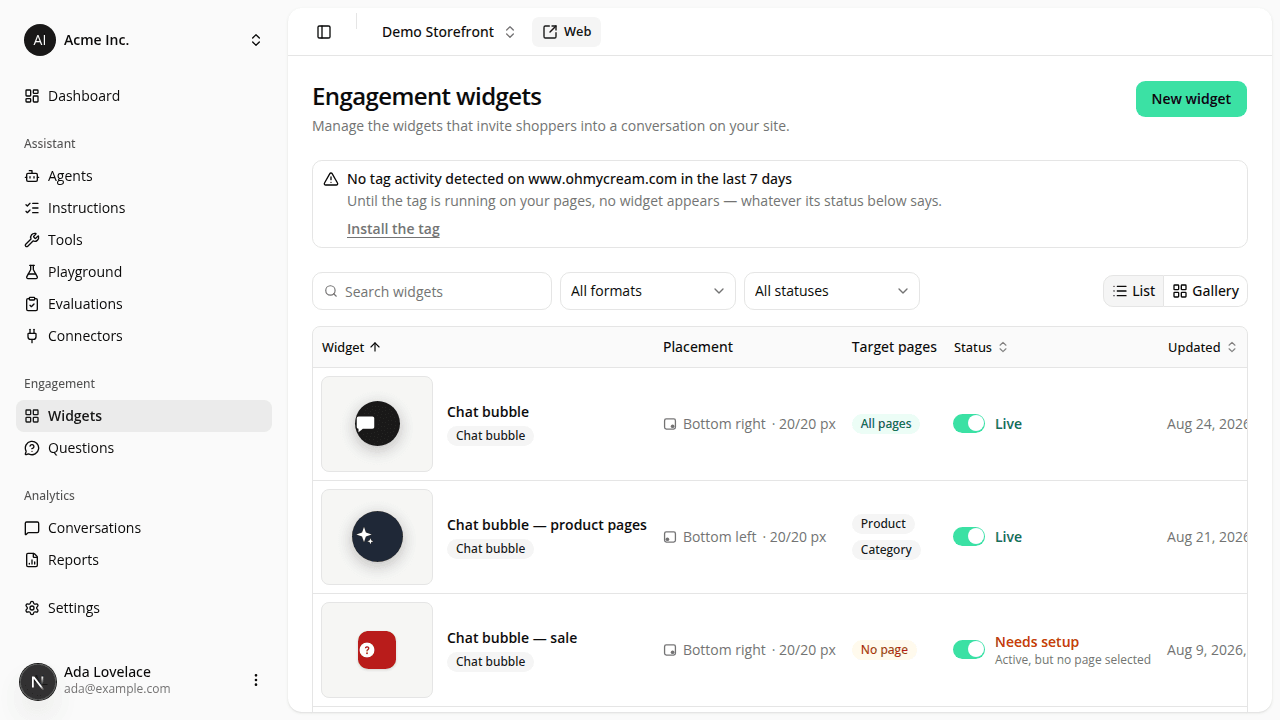
Manage the floating launcher (and future engagement widgets) from its own dashboard page
ChangedThe floating launcher bubble used to be a single switch, with a shared pair of offset fields, on the site's Settings → Public access page. It's now an engagement widget, managed on its own page: open Engagement → Widgets in the dashboard sidebar, or go to /dashboard/sites/{siteId}/engagement-widgets.
What's new:
- Several launcher widgets on one site. Create more than one, each with its own description, enabled switch, offsets, and page-type targeting. Every enabled one renders as an independent bubble.
- Page-type targeting, not just a checkout exception. Instead of a hardcoded "never on checkout" rule, each widget has a Show on these page types allow-list (Home, Category, Product, Checkout). A widget with none checked never renders. That's the default for a newly created one, so you now pick at least one page type before it shows up anywhere.
- A dedicated permission. Viewing or managing widgets is gated on Engagement widgets: View/Edit, granted to Admin and Member by default, same as Agents and Connectors. See Roles.
What to do about it: if your site had the floating launcher turned on, that configuration was not carried over automatically. Create a new widget on the Engagement Widgets page and turn it on, or the launcher stays off. Everything else about the web tag, including the page-side iadvize('set', { launcher }) override, is unchanged; it now applies as a single override across every launcher widget on the site rather than one setting.
Resources