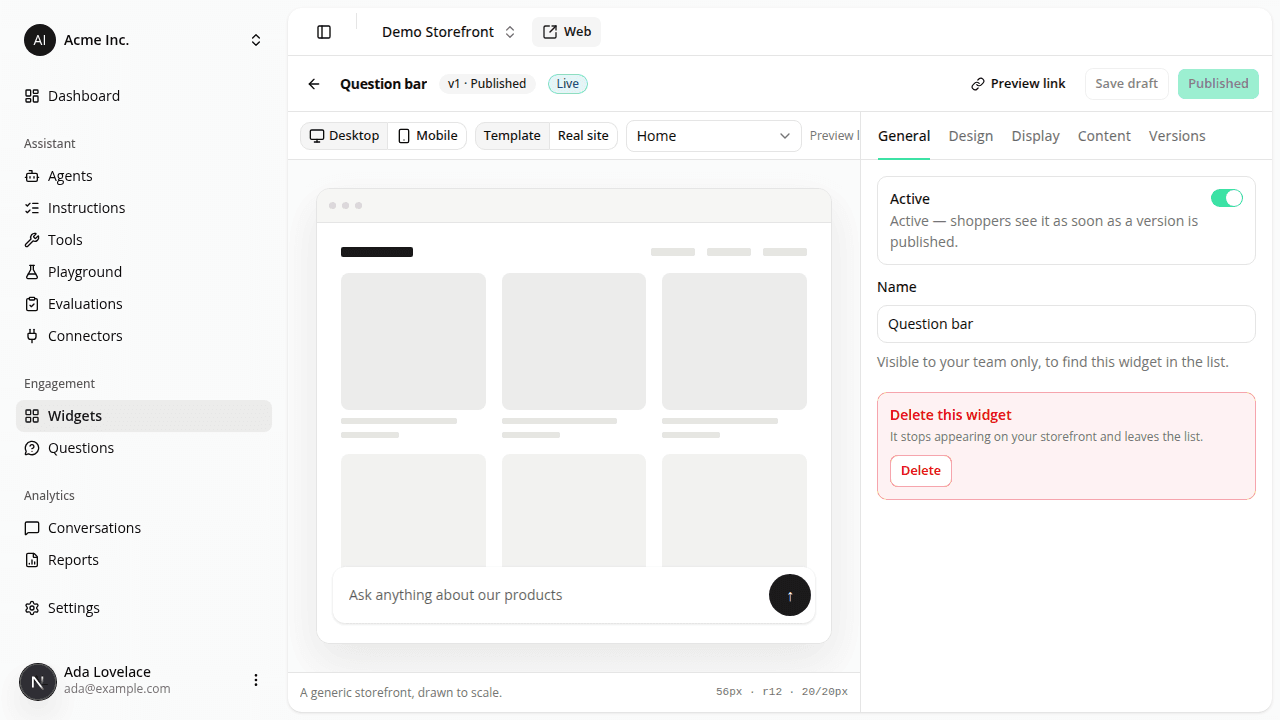
Add a question bar: a typed message opens the conversation in one action
AddedAlongside the floating launcher bubble, you can now add a question bar: a centered, bottom-docked text field the web tag renders on your storefront. A shopper types a question, then clicks the send arrow or presses Enter: that opens the conversation panel and sends the typed text as the very first message, in one action instead of two.
It's a new type on the same Engagement Widgets page you already use for the launcher (Engagement → Widgets in the dashboard sidebar): create one, give it an optional description, then configure it like any other widget: a Bottom offset, a Stacking order relative to your other widgets, page-type targeting, and a translatable Placeholder (the grayed-out hint text shown before a shopper types anything, e.g. "Ask a question…"), with one tab per language your site has enabled. A question bar is always horizontally centered, so it has no side offset or docking side.
Like the launcher, a new question bar starts disabled with no page types selected, fails closed if the site's configuration can't be fetched, and hides automatically while the panel is open. You can run any mix of launcher and question-bar widgets on the same site.
Resources