Custom roles can now grant site management and conversation deletion
FixedTwo capabilities in the dashboard are permission-gated: creating, renaming, reconfiguring and deleting a site, and deleting a conversation. Both checks have been running for a while. What was missing is the other half: neither permission appeared in the permissions table when you built a custom role, so there was no way to grant either one. In practice, the only role that could manage sites or delete a conversation was the built-in Admin, and giving someone that meant handing them everything else too: members, API keys, roles, billing.
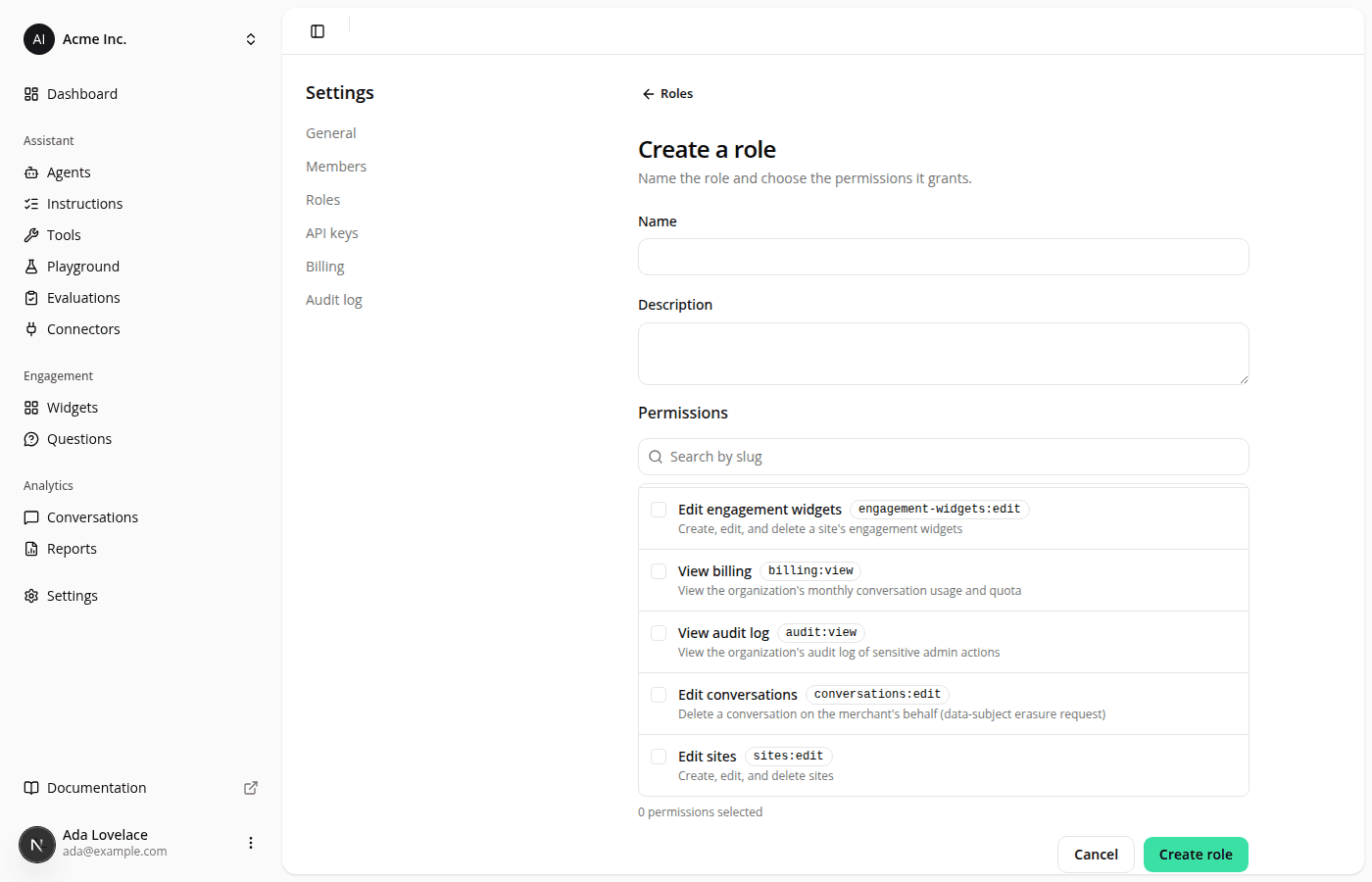
Both are now in the list, on the role create and edit pages:
- Edit sites (
sites:edit): create a site, rename it, change its platform, URL or assistant context, and delete it. It also controls whether Create site shows up in the site switcher. - Edit conversations (
conversations:edit): delete a conversation from its detail page, for example to honour a shopper's data-erasure request.
Neither has a matching "View" permission, and that's deliberate: reading conversations and opening a site's pages stay open to every member of your organization. Only the actions above are gated.
Same fix on the read-only side: open Admin from the Roles page and its permission list now shows these two, which it has held all along. The count in the Permissions column was already counting them, so a role could read as granting more permissions than the detail page listed.
Nothing changed for the roles you already have. If you've been keeping someone on Admin only so they could set up a site or clear a conversation, you can now build a narrower role for that and move them onto it. Permission changes reach a teammate the next time their session refreshes, not instantly.
Resources