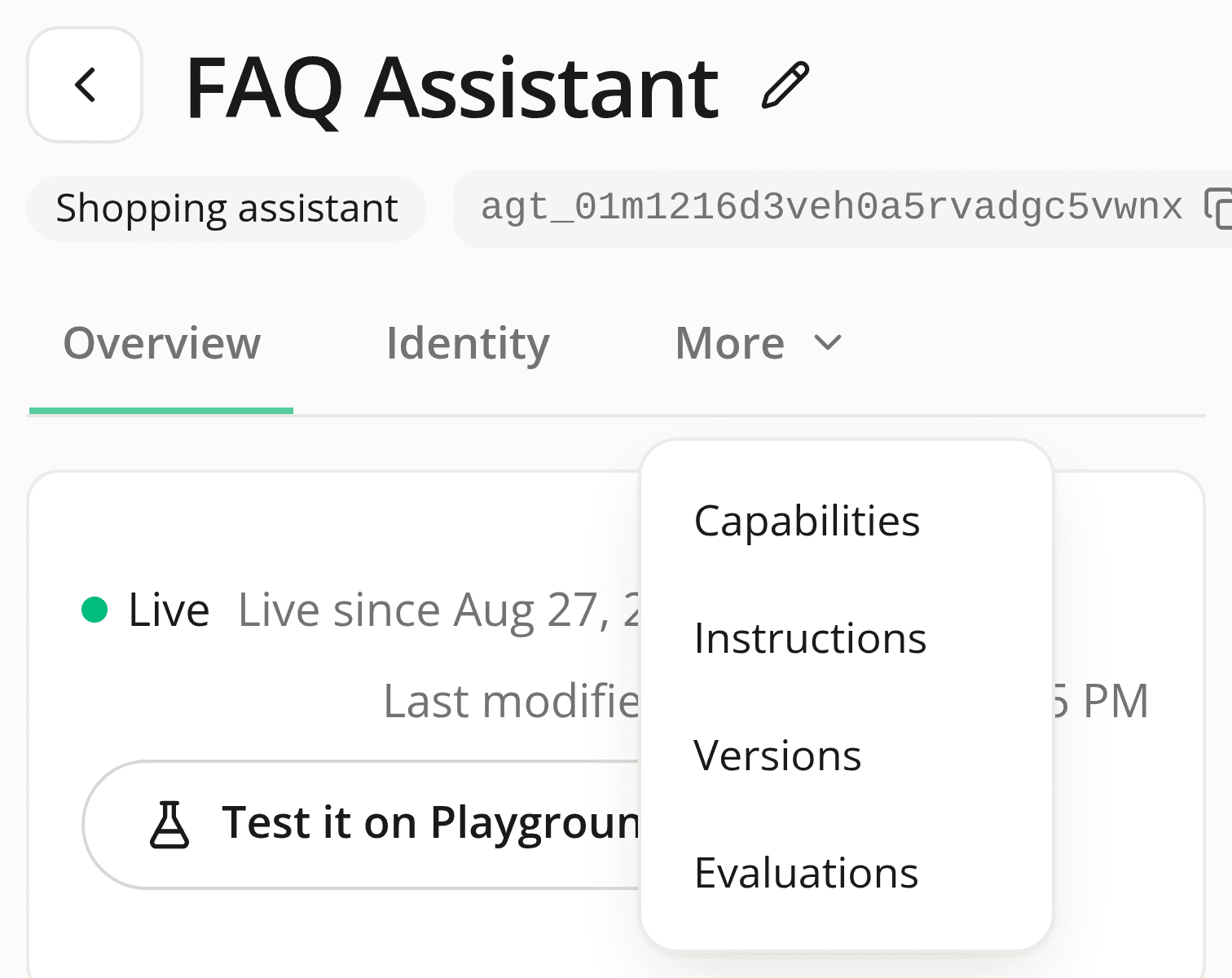
Tab strips stop scrolling
FixedTab strips across the dashboard (an agent's Overview/Identity/Capabilities/Instructions/Versions/Evaluations row, a widget's editor tabs, a site's Performance settings page, Members and Roles, and every language switcher) used to scroll sideways when they didn't fit the available width. There was no scrollbar hint worth noticing and no arrow telling you there was more; a label could end up cut in half mid-word, and following a link straight to a tab past the edge landed you on a strip that still showed a different one active.
None of them scroll anymore. Whatever doesn't fit moves into a More menu placed right after the last visible tab. Open it to reach the rest. If the tab you're actually on is one of the ones that moved into the menu, the More trigger shows that tab's own name instead of "More", so you're never looking at an unlabeled button while on a page you can't otherwise see named.
One side effect worth knowing about: a widget's editor panel is a fixed width regardless of your screen, and its seven tabs already overflowed it. You'll now see the same More menu there too, not just on a phone.
Resources