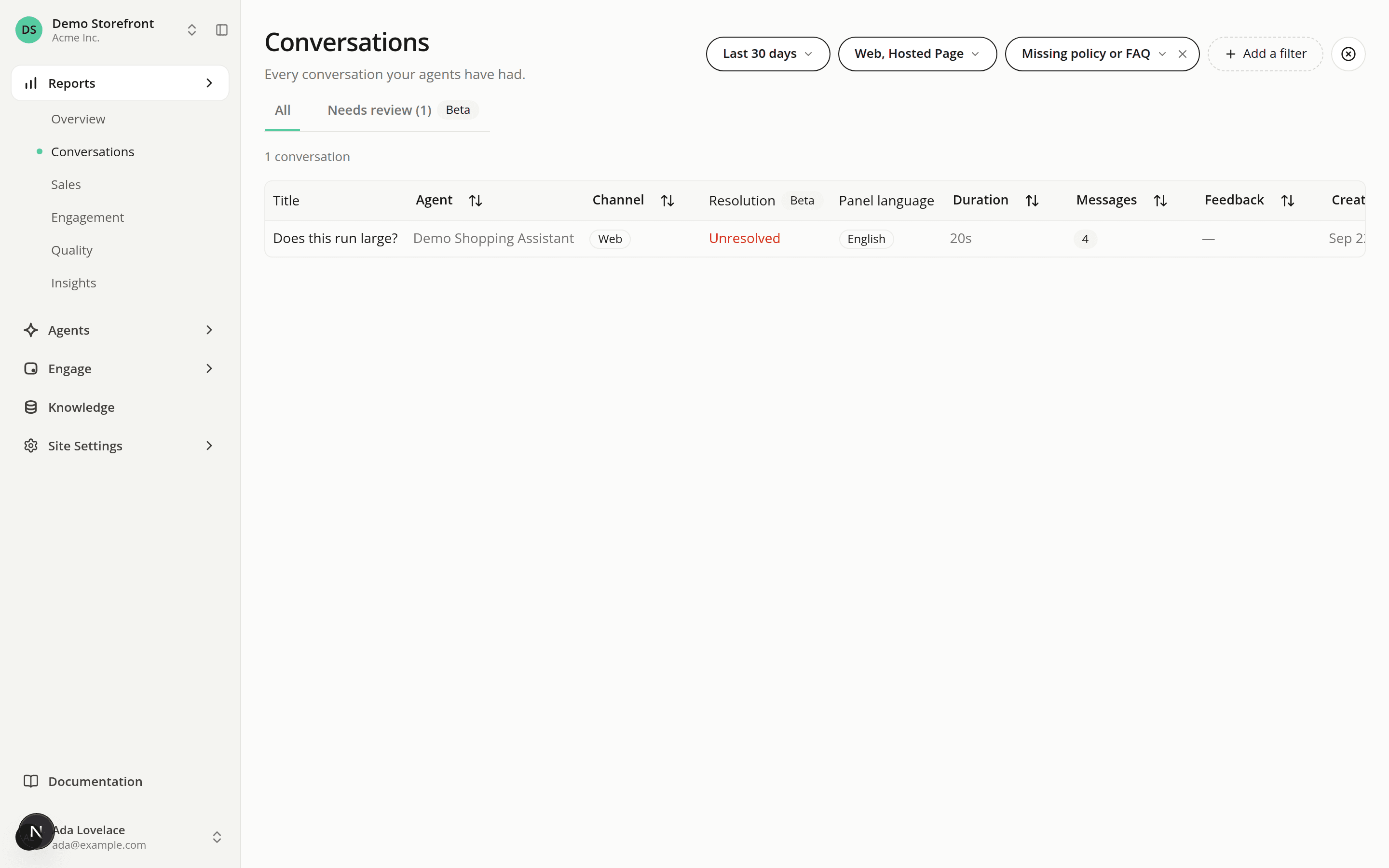
Filter conversations by label and work through a Needs review queue
AddedThe Conversations list now uses the labels the AI judge records. The new parts are marked Beta: the labels are AI-generated and not yet validated.
- Two new filters. Resolution narrows the list to Resolved, Partly resolved, Unresolved, No real need or Visitor left. Issues narrows it to conversations with a product missing from the catalog, missing or inconsistent product info, a missing policy or FAQ, a missing capability, a failed service criterion, a failed trust criterion, or a raised objection. Both take several values, combine with each other and with every other filter, and are remembered for your browser session. A conversation with no current label never matches them, so turning one on hides the conversations that aren't labeled yet. The reports don't use them.
- A Resolution column. Read-only. It shows the resolution of the conversation's current label, or "Not labeled". It keeps showing that label if the conversation continued afterwards.
- A Needs review tab. It lists the conversations whose label has a review reason, with the count in the tab name, over the same date range and filters as the rows. Trust comes first (High priority), then service (Medium), then fallback (Low), with purchase intent first inside each and the newest first. A Priority column shows High, Medium or Low, and a Why column gives the cause: for a service reason, Unresolved, Visitor frustrated or Needed a person. The tab is read-only: you can't correct a label or assign a conversation from it yet.
- A freshness line on the Needs review tab. It says when the hourly labeling pass last ran (Label now on a conversation doesn't count) and how long the oldest waiting conversation in your organization has waited. It turns into a warning when the last pass is over 2 hours old, or a conversation has waited over 3 hours.
Previous and Next on a conversation opened from the list now follow the filtered list, and the queue's order on Needs review. The back arrow returns to the same filters, tab and page.
See Filter by label and Needs review for the details.
Resources