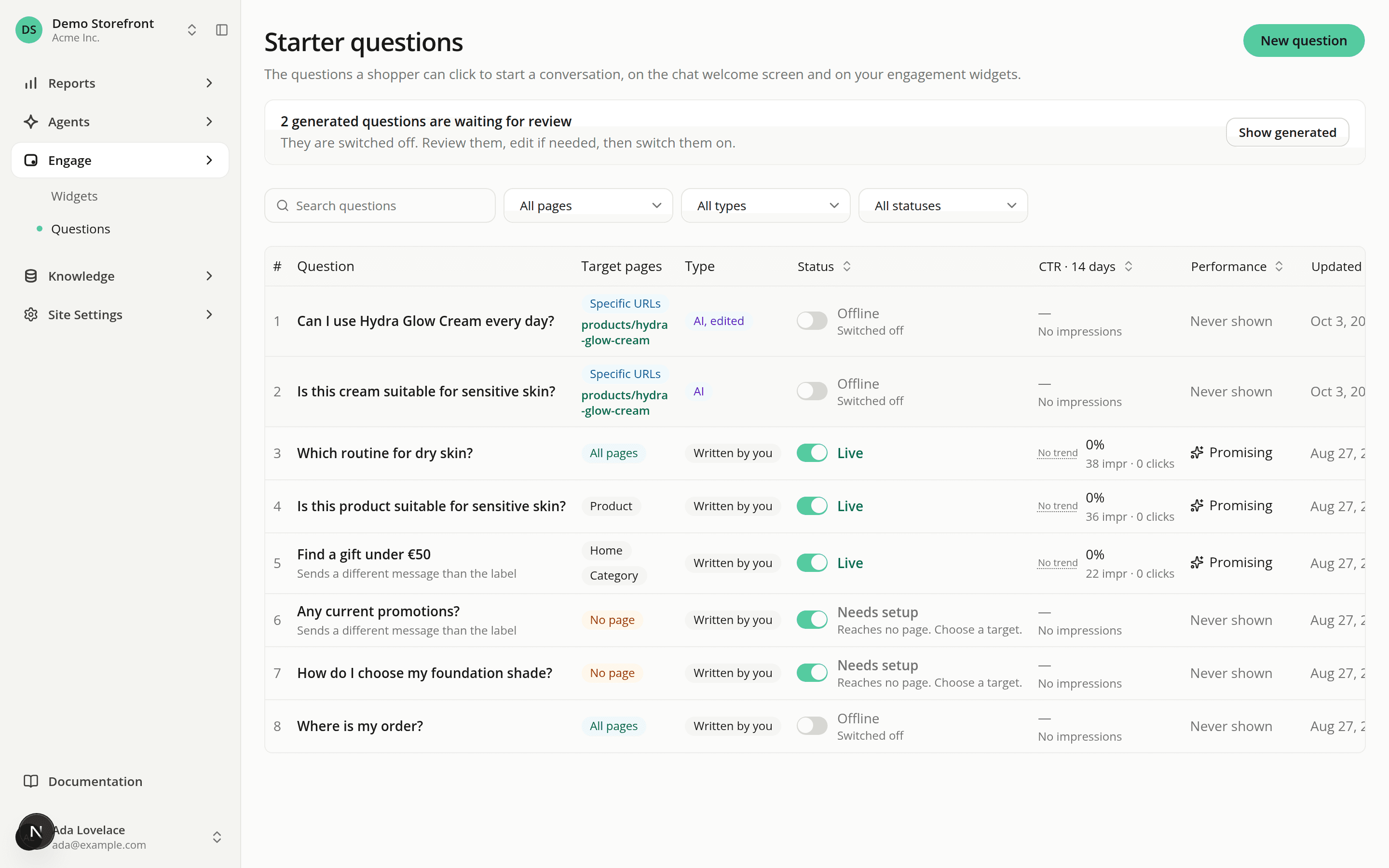
Generate starter questions from your pages, and review them in Questions
AddedYou can now have AISA write starter questions from the pages you added under Pages.
Generate. Select pages that have been read and click Generate starters. AISA writes up to five questions per page, in the language of the page, and shows each one on that page only. It checks every candidate against your catalog record when it can find the product through your connector, and against the page text otherwise. A page can end with no question if none passes the check.
Always switched off. A generated question reaches no shopper until you switch it on in Questions. Generating again replaces the earlier generated questions of that page that are still off. One you switched on, edited or wrote yourself is never replaced.
Review in Questions.
- A Type column and filter tell Written by you from AI and AI, edited. A generated question becomes AI, edited the first time you change its wording or targeting.
- A notice above the list counts the generated questions waiting for review. Show generated filters the list to them.
- A generated question's own page has a banner with when it was written and a link to its source page. It also says when it was checked against the page text instead of your catalog: the assistant may not be able to answer such a question until it can read your pages.
Because a generated question targets its page's address, it follows the rules of Specific URLs targeting. Questions are not regenerated when a page changes. Removing a page and adding it again creates a new page and, if you generate again, a second set of questions.
Generating needs both Site pages: Edit and Starter questions: Edit.
Resources