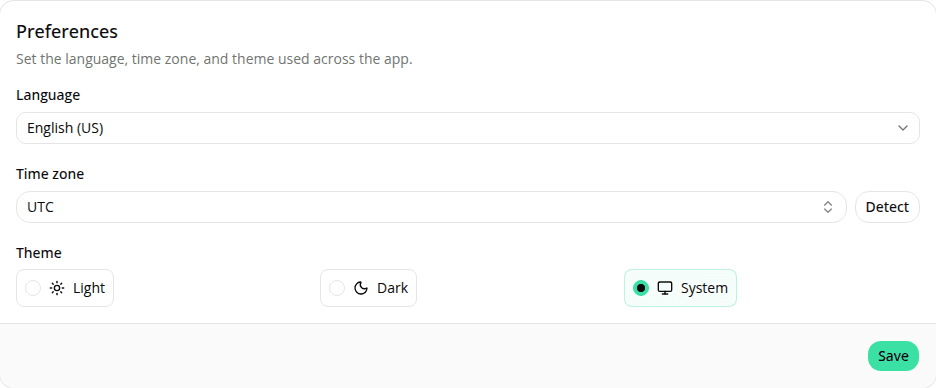
Account settings page
AddedA Settings page (in the user menu, or at /dashboard/settings) where you edit your profile (first and last name) and your preferences. Your name updates in the sidebar after saving. Email is shown but not editable yet.
A new Time zone preference makes every date and time in the dashboard display in the zone you choose (default UTC). Search the full IANA list or use Detect to pick up your browser's zone.
The dashboard Language is now chosen in the Preferences card on the Settings page instead of a submenu in the user menu. Language and time zone save together, and the language applies on Save. Your choices are stored on your account, so they follow you across browsers and devices.
Signing in on a new device now shows the dashboard in your saved language and time zone straight away. Both are read from your account at sign-in, so the first page is already correct: no brief flash of the wrong language or zone.
Your language and time zone are now both saved to your account from your first sign-in, even if you never open Settings. They're detected automatically that first time (language from your browser, time zone from your approximate location) and kept on your account, so they follow you to other browsers from then on. Because the time zone is location-based it can be off (for example on a VPN or while travelling). Set the right zone on the Settings page if the dates look wrong.
This release also adds account documentation: signing in and out, the user menu, your settings, and switching the theme.
Updated later
As of 2026-07-09, language no longer stays put across sign-ins the way described above: a sign-in from a browser or device set to a different language can revert your saved choice. Time zone is unaffected. See Languages and localization.
Resources